How We Built Datastores in Swamp
Swamp tracks everything at runtime — model state, workflow runs, audit logs. For a while that lived in .swamp/ in the repo. It fell apart the moment we wanted a team sharing state. So we built a proper datastore abstraction with S3, distributed locking, and a local cache.
[Migrated from LinkedIn]
Swamp is an adaptive AI automation platform. You define models of external services, swamp validates them, runs methods against them, and tracks results over time. That produces a lot of runtime data — versioned snapshots, workflow runs, method outputs, audit trails, telemetry. We needed somewhere to put all of it.
For a while, everything went into .swamp/ inside the git repo. That worked for one person on one machine. It fell apart when we wanted teams sharing runtime data, or CI and a developer's laptop looking at the same state.
So we built a datastore abstraction.
Definitions vs. Data
Model definitions, workflow definitions, and vault configs are source-of-truth files. They live in top-level directories (models/, workflows/, vaults/) and get tracked in git.
Everything else — evaluated definitions, versioned data, workflow runs, method outputs, secrets, audit logs, telemetry — is runtime data. That's what the datastore manages. Keeping these separate means you can point runtime data at a shared S3 bucket without model definitions getting tangled in sync conflicts.
Two Backends, One Interface
There are two backends: filesystem and S3.
The filesystem backend stores runtime data at a local path — .swamp/ by default, but configurable to any directory. Useful for shared NFS mounts or keeping runtime data off your main disk.
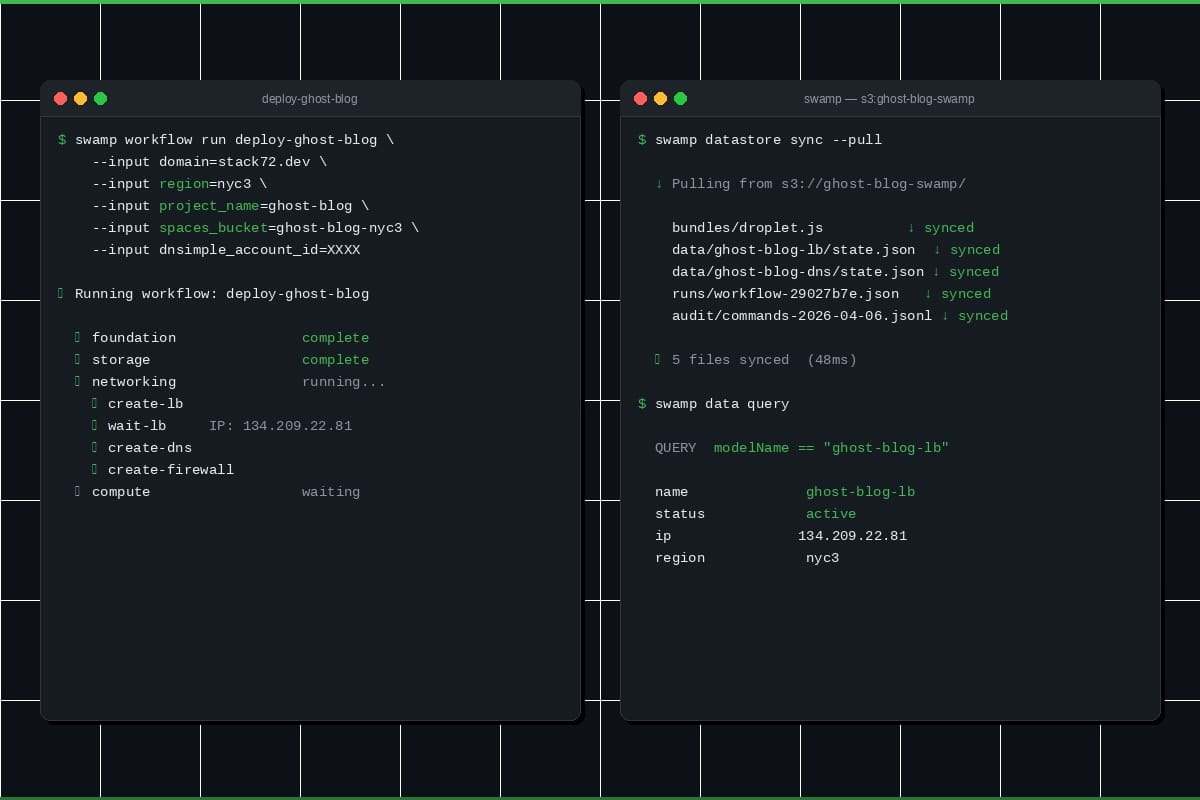
The S3 backend puts runtime data in an S3 bucket, with a disposable local cache at ~/.swamp/repos/{repoId}/. Sync with S3 happens around each CLI command. Blow away the cache, and the next command pulls everything back down.
Both sit behind the same DatastorePathResolver interface. The rest of the codebase calls resolvePath(...) and gets back a path without knowing which backend is active.
Configuration
Resolution order:
- SWAMP_DATASTORE environment variable (highest priority)
- --datastore CLI flag
- datastore field in .swamp.yaml
- Default: filesystem at {repoDir}/.swamp/
The env var uses type:value format — filesystem:/path/to/dir or s3:bucket-name/prefix. Easy to set in CI.
Directories and Excludes
Not everything needs to go to the datastore. The directories field controls which subdirectories belong to it. Anything not listed stays in local .swamp/.
There's also an exclude field that takes gitignore-style patterns (*, **, ?, character classes, ! negation). We compile these to regexes up front so matching stays fast.
A file ends up in the datastore if its subdirectory is in the directories list and it doesn't hit an exclude pattern. Otherwise it stays local.
S3 Sync
We wanted commands to feel local. Nobody should think about network round trips running swamp model get. So we use a local cache as the working copy and sync around write commands.
When you run something that writes data:
- Grab a distributed lock and pull changed files from S3 into the local cache.
- Do the work against the local cache, same as any filesystem operation.
- Push changes back to S3 and drop the lock.
Read-only commands skip locking and syncing — they just read the cache. The tradeoff is reads can be slightly stale on S3 datastores. swamp datastore sync --pull refreshes manually.
Rather than listing the bucket on every sync, we maintain a metadata index (.datastore-index.json) mapping files to sizes and mtimes. No content hashing — we compare sizes and mtimes for change detection. This works because swamp writes files atomically (write to temp, rename into place), which always bumps mtime.
Pull and push run concurrently in batches of 10. If S3 is unreachable, sync warns and keeps going against the local cache. Changes get pushed when the connection comes back. Swamp doesn't break on a plane.
Distributed Locking
Both backends use a distributed lock to prevent concurrent writes.
The lock stores holder identity (user@hostname, PID), acquisition time, a TTL, and a random nonce as a fencing token. S3Lock uses conditional writes (PutObject with If-None-Match: *) for atomic acquisition. FileLock uses Deno.open({ createNew: true }) for the same semantics on disk. Both run a background heartbeat every TTL/3 to keep the lock alive.
If a lock's timestamp plus TTL is in the past, it's stale — the next acquirer deletes it and retries. If your process gets killed, a SIGINT handler tries to release the lock. If that fails, it expires in 30 seconds.
For stuck locks: swamp datastore lock status shows who's holding it, swamp datastore lock release --force deletes it.
Wrapping Up
The datastore abstraction lets teams share runtime data without stepping on git-tracked model definitions. Filesystem for simplicity, S3 for collaboration, and the lock-sync-lock lifecycle keeps things consistent without every command feeling like a network call.
Try it with swamp datastore setup s3. Let us know what you think!