Execution Drivers in Swamp
Swamp model methods can run anywhere — directly in the host process, in a Docker container, or in a custom driver you write yourself. This post covers how execution drivers work, how config cascades from model to workflow to CLI, and how to build your own.
[Migrated from LinkedIn]
This is the second post in a series on how swamp is built. The first covered datastores — where runtime data lives. This one is about execution drivers — where and how model methods actually run.
The Problem
A model method in swamp is a unit of work. It takes some inputs, talks to an external service, and produces data. Early on, every method ran directly in the host Deno process. That was fine until we hit two problems.
First, some methods need to shell out. You might have a model that runs terraform plan or kubectl apply — things that need specific CLI tools installed, specific versions, maybe specific OS packages. Running those bare on the host means every developer needs the same toolchain. That gets old fast.
Second, we wanted isolation. A method that calls aws sts get-caller-identity shouldn't be able to read files from another model's output directory. Running everything in the same process makes that hard to enforce.
So we built execution drivers. A driver controls where a method runs. The host process? A Docker container? A remote server? The method doesn't know and doesn't care.
Built-in Drivers
There are two built-in drivers.
Raw is the default. It runs the method directly in the host Deno process. Full access to the data repo, vault service, filesystem. Outputs get written immediately in-process. If you don't set a driver, this is what you get.
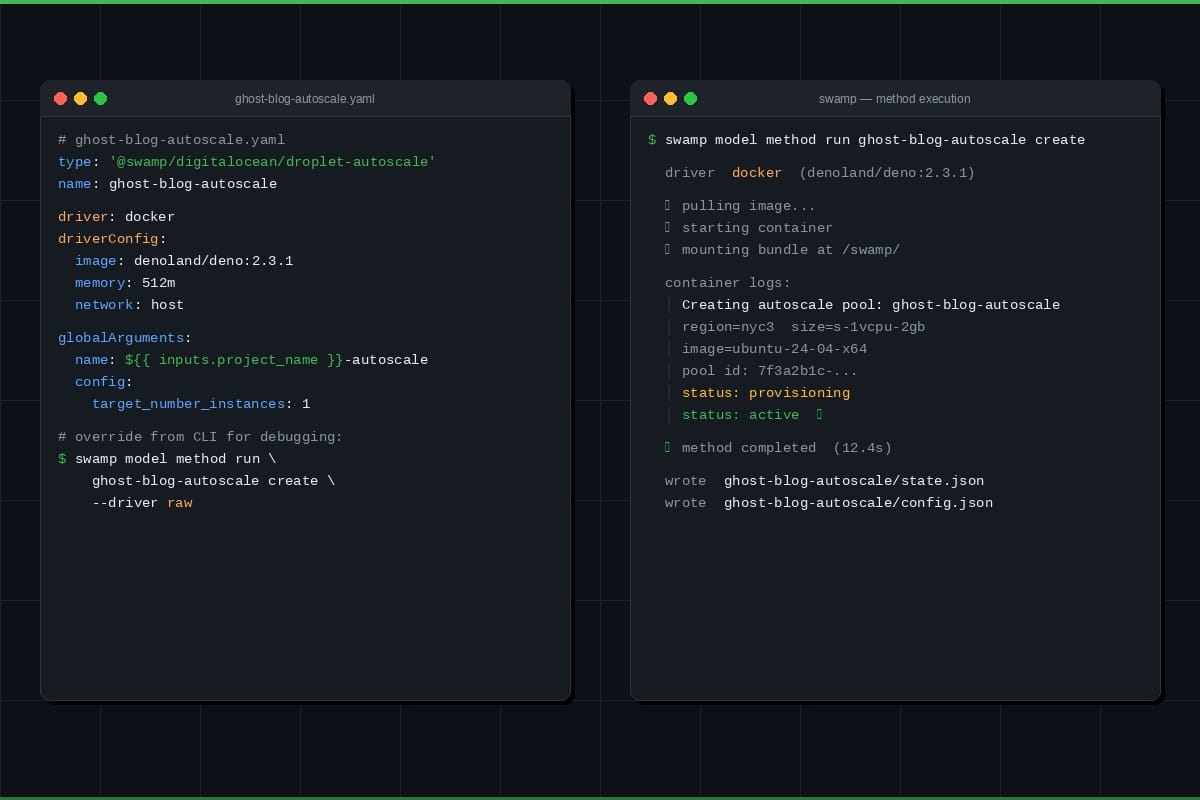
Docker runs methods in containers. It has two modes, auto-detected based on what the method needs:
In command mode, the method provides a shell command via a run argument. The driver spins up a container, runs sh -c "<command>", captures stdout as resource data, and streams stderr as real-time logs. Non-zero exit code means error.
In bundle mode (used by extension models), swamp mounts a self-contained JavaScript bundle, a request JSON payload, and a runner script into the container at /swamp/. The container executes the bundle with Deno, and the runner writes structured JSON to stdout — resources and files that the host persists after execution.
Docker config supports the things you'd expect: image, memory limits, CPU limits, network, volume mounts, env vars. You can also swap in podman or nerdctl by setting command in the config.
Configuration Cascading
Driver config resolves from multiple levels, highest priority first:
- CLI --driver flag
- Workflow step driver: field
- Workflow job driver: field
- Workflow-level driver: field
- Model definition driver: field
- Default: raw
First match wins, and its driverConfig comes along with it. Configs don't merge across levels — if a step sets driver: docker with an image, it gets that image, regardless of what the workflow-level config says.
This means you can set docker as the default for a whole workflow but override individual steps back to raw for things that need host access. Or set a driver on a model definition so it always runs in a container, but override from the CLI for debugging.
Output Parity
This was a design constraint we cared about. The calling code shouldn't have to know which driver ran — it should get identical results either way.
Both drivers produce a list of DriverOutput items, but they use different kind values. Raw outputs are "persisted" — the data was already written in-process, here's a handle to it. Docker outputs are "pending" — here's the raw data, the host needs to write it.
The method execution service normalizes both. Persisted outputs extract the handle directly. Pending outputs get written via the data writer. The caller sees the same DataHandle array regardless.
Custom Drivers
The built-in drivers cover local and containerized execution. But people want to run methods in other places — Lambda functions, remote servers, custom sandboxes. Rather than building all of that into swamp, we made drivers pluggable.
Custom drivers live in extensions/drivers/ (configurable via SWAMP_DRIVERS_DIR or .swamp.yaml). They're TypeScript files that export a driver object:
export const driver = {
  type: "@myorg/lambda",
  name: "Lambda Driver",
  description: "Execute methods as AWS Lambda invocations",
  configSchema: z.object({ functionName: z.string(), region: z.string() }),
  createDriver: (config) => new LambdaDriver(config),
};
The createDriver factory returns something that implements ExecutionDriver — a type string, an execute() method that takes a request and returns a result, and optional initialize() and shutdown() hooks.
Types follow a @collective/name pattern (@myorg/lambda, @acme/ssh, etc.). At startup, swamp discovers .ts files in the drivers directory, bundles them via Deno, validates the export shape, and registers them with a global type registry. Failed loads log a warning but don't block the CLI.
Once registered, custom drivers slot into the same cascading resolution as built-in ones. You reference them by their full type name:
driver: "@myorg/lambda"
driverConfig:
  functionName: "my-method-runner"
  region: "us-east-1"
Bundling and Caching
Driver files get bundled into JavaScript at load time, with zod externalized so drivers share swamp's zod instance (needed for instanceof schema checks). Bundles are cached in .swamp/driver-bundles/ with mtime-based invalidation — if the source file hasn't changed, the cached bundle gets reused.
This also means drivers can be distributed as part of extensions. When you swamp extension push, driver source and pre-built bundles are included in the archive. When someone pulls your extension, the driver is ready to use without needing their own bundling toolchain.
Getting Started
If you just want containerized execution, add driver: docker and an image to your model definition or workflow and you're done. swamp model method run my-model execute --driver docker works too if you want to try it without changing any YAML.
For custom drivers, swamp's AI agent already understands the ExecutionDriver interface and how to wire everything up. Tell it what kind of driver you need — "build me a driver that runs methods over SSH" or "I want a Lambda execution driver" — and it will create the TypeScript file, implement the interface, and register it. You get a working driver without having to read the internals yourself.
If you've built a driver that others might find useful, swamp extension push packages it up for the registry. Someone on the other end runs swamp extension pull and the driver is ready to go — no bundling setup needed on their side.
Try it and let us know what you think!